
U.S. VISA PHOTO
DS-160 photo upload failed? Check the file before retaking it
Photos are processed in your browser. They are never uploaded to any server.
A DS-160 photo can fail for two different reasons. The file may be wrong, or the photograph may be unsuitable. Check the square dimensions, JPEG format and file size first. Then inspect the face, background, lighting and crop. Renaming the file cannot repair either problem.
Prepare a 600 × 600 U.S. visa JPG
Start with the four file rules
The U.S. Department of State digital image requirements specify a square colour image in JPEG format. Width and height must each be between 600 and 1200 pixels. The file must be no larger than 240 kB, and the stated compression ratio limit is 20:1.
Visa Photo Prep exports the U.S. preset at 600 × 600 pixels. That is the lower edge of the permitted range, not a universal setting for every identity document. Select United States, Visa · DS-160 / DS-1648 before adding your photo.
Run this check in order
- Confirm the file type. The finished upload must be a JPEG. Changing a PNG filename from
.pngto.jpgdoes not convert it. - Confirm the dimensions. Width must equal height. Both values must fall between 600 and 1200 pixels. The site output is exactly 600 × 600.
- Check the encoded size. The JPEG must be 240 kB or less. A photo can have the right pixel dimensions and still exceed this limit.
- Open the exported file. Make sure it is upright, sharp and not visibly distorted. Look at the JPG itself, not only the editor preview.
The upload can pass a file check and still be a bad visa photo
Correct pixels do not prove that the photograph meets the composition rules. The Department of State requires a recent colour photo, taken within six months, against a plain white or off-white background. You must face the camera with a neutral expression and both eyes open.
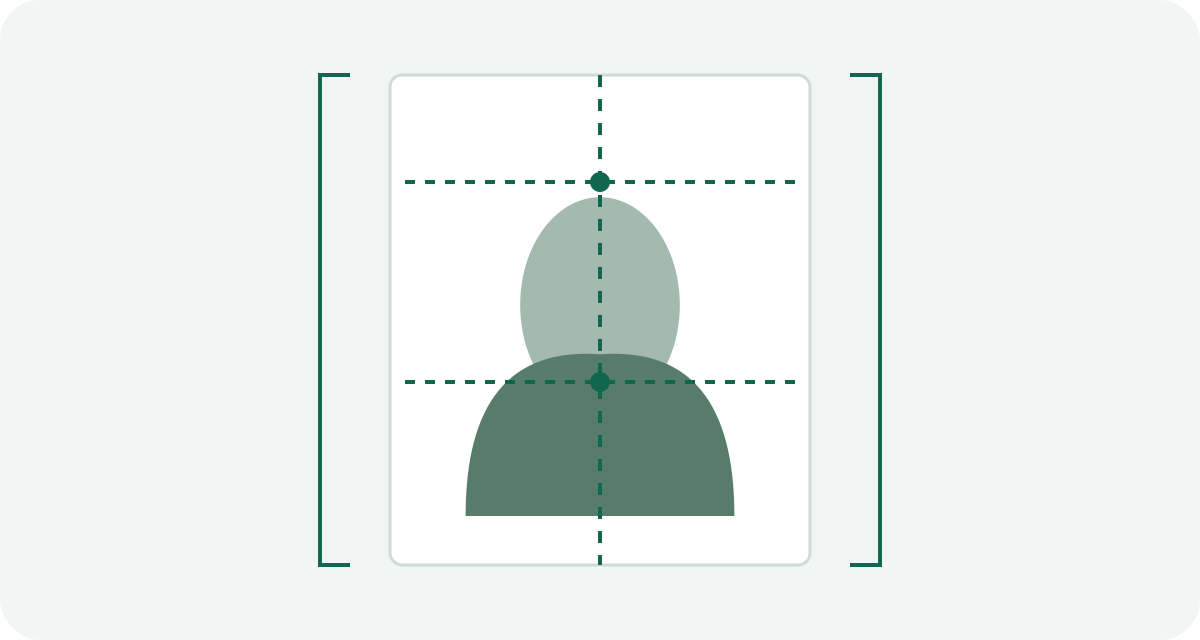
The head, measured from the bottom of the chin to the top of the head, should occupy 50 to 69% of the image height. On a 600-pixel image, that range is 300 to 414 pixels. The markers in Visa Photo Prep help you measure it manually. They do not detect your face or decide whether you marked the correct points.
What about shadows or an edited background? The tool does not remove a background and does not certify lighting. If the wall is patterned, a shadow is visible, or an edit changes your appearance, take a new original. Cropping harder only hides the symptom.
Do not stretch a rectangular portrait into a square
A square visa image needs a square crop. It should not be made by forcing a portrait into equal width and height. Stretching changes facial proportions and produces a file that can be 600 × 600 while still looking wrong.
Use an original with enough space around the head and shoulders. Move and zoom the image inside the square frame. If the source crop contains fewer than 600 pixels in either direction, use a larger original instead of enlarging a small screenshot.
If DS-160 still rejects the file
Read the exact error shown by the application page. Recheck the current official instructions and export a fresh JPEG from the original image. Do not repeatedly resave the same file through messaging apps; each save can add compression or strip useful information.
The upload step is not the final acceptance decision. A correctly formatted file can still be rejected after a person reviews the photograph. If your interview instructions ask for a printed photo, follow that receiving office's directions as well.
Need to start again from a phone image? Use the U.S. visa photo from a phone guide. For a physical copy, read the 4 × 6 print guide before sending a sheet to a printer.
Official U.S. digital image and composition requirements reviewed September 20, 2026. Recheck the linked Department of State pages before submitting.
Sources and scope
This guide explains the application route described above. Check the receiving authority’s current instructions before submitting; that authority decides whether a photo is acceptable.
How we distinguish official rules from tool settings · Report a correction