
CHINA VISA PHOTO
Prepare a 33 × 48 mm China visa photo
Photos are processed in your browser. They are never uploaded to any server.
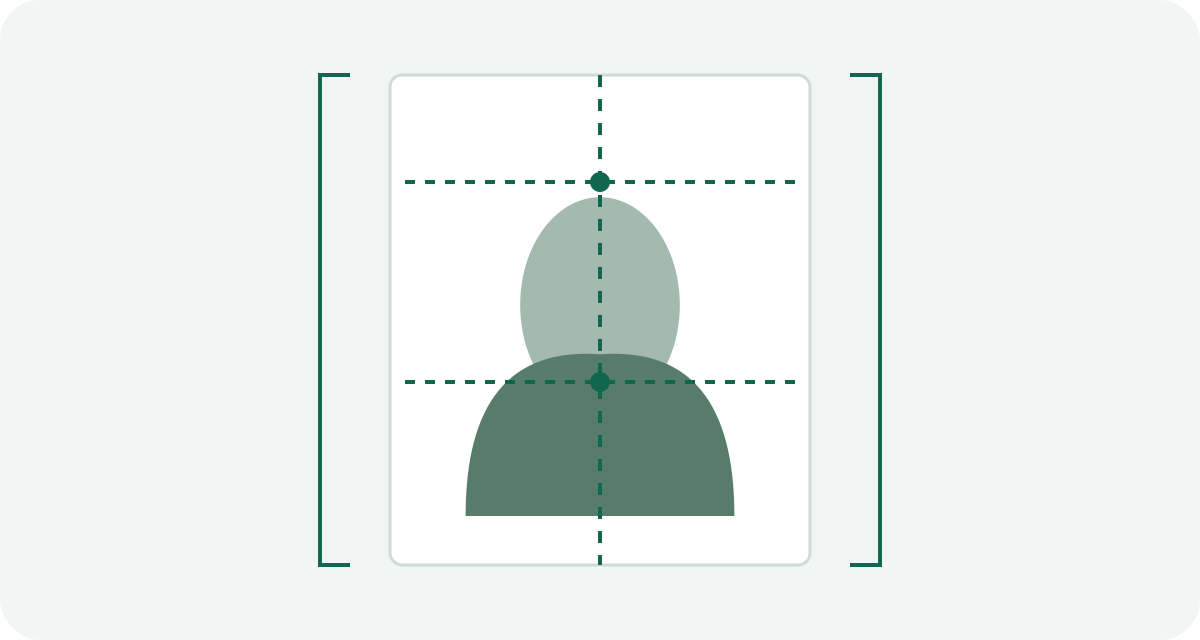
For the paper-photo route covered here, the finished photo is 33 mm wide by 48 mm high. The head must also fit three separate measurements: 28 to 33 mm from chin to crown, 15 to 22 mm wide, and 3 to 5 mm of space above the head. A white rectangle alone is not enough.
Open the China visa photo preset
Know which China application route you are using
This page follows the paper-photo standard published by the Chinese Embassy in Iran. It is the source used by the China preset in Visa Photo Prep. The preset is not a COVA or other online-upload profile.
Check the website of the embassy, consulate or visa centre receiving your application. If it gives a different file or photo instruction, use that route's rule. The words “China visa photo” do not identify the receiving office by themselves.
The crop has four measurements
- Finished photo: 33 × 48 mm.
- Head height, from chin to crown: 28 to 33 mm.
- Head width: 15 to 22 mm.
- Space above the crown: 3 to 5 mm.
Visa Photo Prep can help with the finished size, vertical head height and top space. It does not automatically measure head width. Inspect that part yourself against the official diagram.
Take a source photo that can survive the crop
Face the camera directly. Use even light, a white background and enough room around your head and shoulders. The official paper-photo guidance calls for no shadows on the face or background and a photo taken within six months.
Leave more space than the final frame needs. A close selfie can force the head beyond 33 mm or cut away the shoulders before the 33 × 48 crop is complete. If the only way to fit the frame is to stretch the image, retake it.
Crop and measure in the browser
- Select China, Visa · paper photo.
- Add the original JPG, PNG or HEIC file. The image stays in your browser.
- Move and zoom the portrait until the face is centred and the top space looks close to 3 to 5 mm.
- Mark the crown and chin. Adjust until the displayed head height falls between 28 and 33 mm.
- Check head width, background, shadows, expression, sharpness and photo age yourself.
- Create the downloads and keep the single-photo JPG as the print master.
The site exports 390 × 567 pixels at a 300 ppi print setting. Those pixels are a practical print conversion made by this tool because the cited paper source gives millimetres, not a digital upload size.
Measure the paper copy
Print at actual size. Turn off fit-to-page, auto-crop and borderless enlargement. Before cutting the whole sheet, measure one copy with a ruler: it should be 33 × 48 mm from edge to edge.
Then look at the portrait again. Printer cropping can change the top margin. A white border can also change the finished dimensions if you measure the image area instead of the cut edge.
If you are printing multiple copies, use the 4 × 6 visa photo printing guide to check sheet scaling before cutting.
Official paper-photo source reviewed September 20, 2026. Check the instructions of the office receiving your application before printing or submitting.
Sources and scope
This guide explains the application route described above. Check the receiving authority’s current instructions before submitting; that authority decides whether a photo is acceptable.
How we distinguish official rules from tool settings · Report a correction